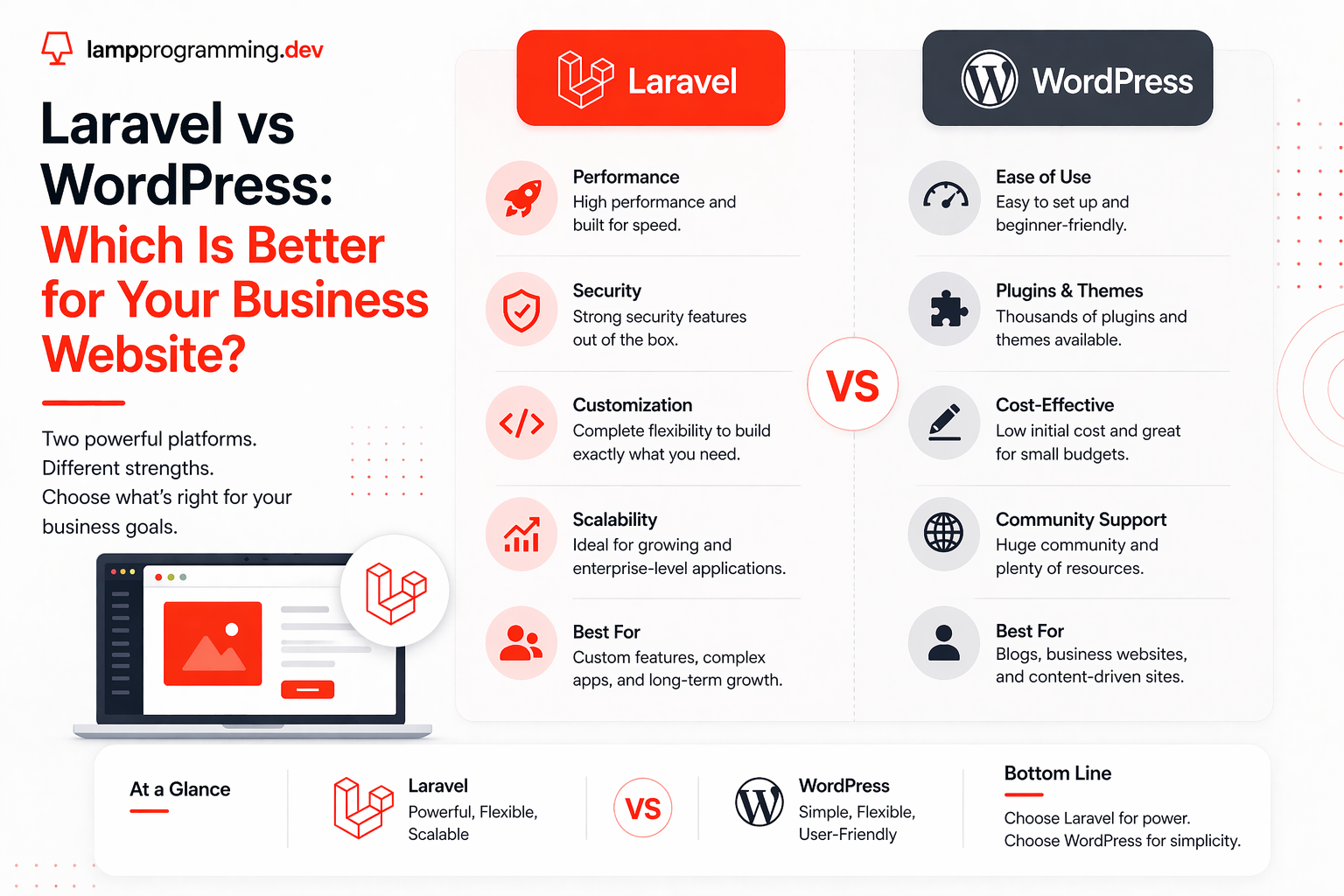
Why This Comparison Matters
Laravel vs WordPress is one of the highest-stakes platform decisions a business will make for its website — and one of the most searched. If you're trying to decide between Laravel or WordPress for your business, you've probably already found a dozen surface-level comparisons that shrug and say "it depends." This one doesn't stop there.
This guide is written for business owners, marketing leads, and technical decision-makers evaluating a new site or a rebuild — not developers arguing framework preferences in a forum. You'll get a straight answer on performance, SEO, ecommerce, security, and cost, plus a clear framework for deciding which platform actually fits your business.
We're a Laravel development agency, so we won't pretend to be neutral about which platform we prefer to build on. But we also build and maintain WordPress sites for clients where WordPress is genuinely the right call. The goal here isn't to talk you into Laravel — it's to help you avoid the wrong decision, which is almost always more expensive to fix later than it would have been to make correctly up front.
What Is Laravel? What Is WordPress?
WordPress is a content management system (CMS). It's built for people who need to publish and manage content — blog posts, pages, products — without writing code. Roughly 43% of all websites run on WordPress, powered by a plugin ecosystem that adds functionality on demand: Yoast for SEO, WooCommerce for ecommerce, Contact Form 7 for forms. You install, configure, and go live.
Laravel is a PHP framework, not a CMS. It's a toolkit developers use to build custom web applications from the ground up — no plugins, no page builder, no admin panel out of the box. Every feature in a Laravel application is written specifically for that business: the database structure, the business logic, the user flows. Nothing is generic, and nothing is left over from features you'll never use.
Laravel vs WordPress: Performance and Speed
This is where the laravel vs wordpress performance question gets concrete. A standard WordPress installation with a theme and 15–30 active plugins — a typical business site running an SEO plugin, a page builder, forms, caching, security, and analytics — bootstraps the entire CMS on every request. It loads WordPress core, initializes every active plugin, and runs database queries for menus, widgets, and settings before it even starts building the page. On shared or budget hosting, that routinely produces server response times (TTFB) of 400–800ms, even with a caching plugin in place.
A properly built Laravel application executes only the code a given request actually needs. There's no plugin bootstrapping and no unused hooks firing on every page load. TTFB on a well-optimized Laravel app typically lands in the 50–150ms range — 3 to 10x faster than an equivalent WordPress setup.
That gap compounds. On Google PageSpeed Insights, a plugin-heavy WordPress site commonly scores 40–65 on mobile without dedicated performance engineering. A Laravel application with server-side rendering and a lean asset pipeline routinely scores 90+ on the same test. For laravel vs wordpress speed, the difference isn't marginal — it's often the difference between a site that passes Core Web Vitals and one that doesn't.
WordPress can close some of this gap with aggressive caching, a CDN, image optimization, and disciplined plugin management — but that's ongoing maintenance work, not a default state. Laravel starts fast and stays fast because there's nothing extra to strip out later.
Laravel vs WordPress: SEO Capabilities
Both platforms can rank well. Plenty of WordPress sites hold page-one positions, and plugins like Yoast or Rank Math make on-page SEO — meta tags, sitemaps, schema — accessible without touching code. For content-heavy sites managed by marketing teams, that's a real advantage.
Where it gets more technical is rendering. Google needs to crawl and index your content quickly and reliably. WordPress renders server-side by default, so this usually isn't a problem — but heavily customized WordPress themes with client-side JavaScript layers can introduce the same indexing delays that plague poorly built single-page apps. Laravel paired with Inertia.js and server-side rendering (SSR) sends fully-built HTML to both Google and users on the very first request. There's no waiting for JavaScript to execute before the content becomes visible or indexable, and Core Web Vitals like Largest Contentful Paint benefit directly from that head start.
On structured data, canonical URLs, and Open Graph tags, a well-built Laravel application can implement all of it programmatically and consistently across every page — Article schema, FAQPage schema, breadcrumbs — without depending on a plugin's settings panel being configured correctly on every single post. For a marketing site that changes rarely, either platform gets this right. For a fast-moving content operation publishing daily, WordPress plugins are usually faster to manage.
Laravel vs WordPress: Ecommerce
For laravel vs wordpress ecommerce, the decision usually comes down to catalogue size and how much custom logic your checkout needs. WooCommerce, WordPress's ecommerce plugin, is the fastest way to start selling online. It handles products, cart, checkout, and payment gateways out of the box, and it works well for stores under a few thousand SKUs with standard pricing and shipping rules.
The problems show up at scale. WooCommerce performance degrades as catalogue size, concurrent traffic, and plugin count grow — every additional extension, whether it's subscriptions, custom pricing rules, or inventory sync, adds more overhead to an already plugin-heavy stack. High-traffic sales events, like a big promotion or a product drop, are where WooCommerce sites most commonly go down.
A custom Laravel ecommerce build handles complex pricing logic, multi-warehouse inventory, B2B pricing tiers, or subscription billing exactly the way your business needs it, because it's written for that business rather than adapted from a generic plugin. Laravel also integrates cleanly with dedicated commerce platforms: for stores that want the reliability of a hosted commerce engine with a fully custom storefront, pairing BigCommerce development with a Laravel or headless frontend gives you enterprise-grade checkout and inventory infrastructure without inheriting WordPress's plugin overhead.
Laravel vs WordPress: Security
WordPress is the most attacked CMS on the internet — not because its core is poorly engineered, but because its market share makes it the highest-value target. Most WordPress breaches trace back to outdated or vulnerable plugins and themes, not WordPress core itself. A single unpatched plugin can compromise an entire site, and with 20+ plugins active on a typical business install, that's a lot of surface area to keep current.
Laravel applications have a dramatically smaller attack surface by default. There's no third-party plugin marketplace introducing unknown code into your stack. Laravel ships with CSRF protection, secure session handling, and a well-audited authentication system built in, and every dependency is something your development team explicitly chose and can review — not something installed by a client six months ago and forgotten.
None of this means WordPress is inherently unsafe. A well-maintained WordPress site with a security plugin, disciplined updates, and a minimal plugin count is reasonably secure. It just means WordPress security requires ongoing vigilance, where Laravel's security posture is largely set at build time.
Laravel vs WordPress: Cost and Development Time
WordPress wins on upfront cost and speed to launch. A professionally built WordPress site typically runs $3,000–$12,000 and can launch in 4–8 weeks, because most of the functionality — forms, SEO tools, basic ecommerce — already exists as a plugin. For straightforward marketing sites and blogs, that's real economic value that shouldn't be dismissed.
Laravel applications start around $10,000 and scale with complexity, because more of the functionality is being engineered from scratch rather than configured. That upfront gap is the most common reason businesses choose WordPress even when Laravel would perform better long-term.
The comparison changes over a 2–3 year horizon. WordPress maintenance costs accumulate: plugin updates, compatibility testing after every WordPress core update, security monitoring, and the periodic "why is my site suddenly broken" fire drill after an automatic plugin update. Laravel applications, once built correctly, tend to have lower ongoing maintenance costs because there's less third-party code to keep in sync. For a site that will run for years and grow in complexity, the total cost of ownership often favors Laravel even though the starting price is higher.
Laravel vs CMS: When to Choose Each
There's no universally correct answer here — only the right answer for your business model, budget, and growth trajectory.
Choose WordPress if:
- Your site is primarily content — a blog, portfolio, or brochure site with infrequent structural changes
- Non-technical staff need to publish and edit content regularly without developer involvement
- You're running standard ecommerce with a manageable catalogue and no complex pricing logic
- Budget is tight and you need to launch in weeks, not months
- You don't need custom business logic beyond what a plugin can reasonably provide
Choose Laravel if:
- Your business has custom logic, workflows, or rules that no plugin covers cleanly
- You're building a SaaS product, client portal, or multi-tenant application
- Performance and uptime directly affect revenue, not just user experience
- You process payments, store sensitive data, or have compliance requirements that demand a tightly controlled codebase
- You need a custom API powering a mobile app or third-party integrations
- You're scaling ecommerce beyond what WooCommerce handles comfortably
One clarifying point on a common search: Laravel CMS vs WordPress isn't really an apples-to-apples comparison, because Laravel isn't a CMS out of the box. It can absolutely power one — either through a custom-built admin panel or paired with a headless CMS like Statamic, Contentful, or Strapi for the editorial layer — but that's a deliberate engineering decision, not something you get automatically the way you do by installing WordPress.
Final Verdict
If we're being direct: for a simple content site on a tight budget, WordPress remains a legitimate, cost-effective choice, and we'll tell clients that honestly even though it's not what we build. But for businesses where the website is a growth engine — where performance, security, and custom functionality drive revenue rather than just represent it — the advantages of Laravel vs WordPress compound over time: faster load times, a smaller attack surface, and a codebase built exactly around how your business operates instead of bent to fit a plugin's assumptions.
That's why LampProgramming builds client projects on Laravel + Inertia.js + Vue.js with server-side rendering by default. It gives clients WordPress-level content manageability where they need it, application-grade performance and security everywhere else, and a site that's still fast and maintainable three years after launch — not one that needs a rebuild once it outgrows its plugin stack. If your project needs custom logic, has ecommerce complexity, or simply needs to be fast and secure without constant babysitting, that combination is hard to beat with a plugin-based CMS.
Still weighing Laravel or WordPress for your business? We'd rather give you the honest answer for your specific project than sell you the platform we happen to build on. Our team has shipped both, and we know exactly where each one breaks down.
Ready to Grow Your Business Online?
LAMP Programming is a Laravel development agency based in Santa Barbara, CA. Whether you need a custom Laravel application, a properly built WordPress site, or help deciding between a WordPress developer and a custom build, we'll give you a straight technical assessment before you spend a dollar.
Frequently Asked Questions
- Laravel is better for businesses that need custom functionality, high performance, or tight security control — a SaaS product, client portal, or complex ecommerce platform. WordPress is better for content-heavy sites that need frequent updates from non-technical staff. Neither is universally "better" — the right choice depends on what the site needs to do.
- A well-built Laravel application is almost always faster than an equivalent WordPress site. WordPress bootstraps its CMS core and every active plugin on each request, while Laravel executes only the code a request needs — typically resulting in 3–10x faster server response times and higher PageSpeed scores.
- Laravel isn't a CMS out of the box, but it can power one. Development teams either build a custom admin panel on top of Laravel or pair it with a headless CMS like Statamic, Contentful, or Strapi for the content-editing layer, while Laravel handles the application logic and frontend.
- WordPress struggles at scale. It was built as a CMS for content publishing, not for complex application logic, high-concurrency traffic, or custom workflows. Large-scale applications with heavy business logic, high traffic, or strict performance requirements are typically better served by a framework like Laravel.
- WooCommerce on WordPress is faster to launch and works well for smaller catalogues with standard pricing. A custom Laravel ecommerce build handles complex pricing, multi-warehouse inventory, and high traffic more reliably, and integrates cleanly with platforms like BigCommerce for stores that need to scale beyond WooCommerce's limits.


